
In today’s competitive business environment, small businesses need tools that help them manage customer relationships, track leads, and grow revenue without breaking the bank. A CRM (Customer Relationship Management) system does exactly that — by centralizing all customer data, sales interactions, and automation in one place.
But with so many CRM options available, choosing the right one for your small business can be overwhelming. This guide highlights the best CRM systems, their key features, pricing, and the benefits they bring to small businesses in 2026.
Why Small Businesses Need a CRM System
Before diving into specific CRM platforms, it’s important to understand why a CRM matters for small businesses:
Centralized Customer Data
A CRM system stores customer profiles, communication history, and sales activities in one place — eliminating data silos and scattered spreadsheets.
Improved Sales Tracking
Track leads from first contact to closing the sale, helping teams follow up at the right time and never miss opportunities.
Better Marketing Coordination
Many CRMs offer built-in marketing tools or integrations that help with email campaigns, segmentation, and analytics.
Automation and Efficiency
CRMs automate routine tasks — from follow-up reminders to lead scoring — saving valuable time for small teams.
Data-Driven Growth
With reporting dashboards and insights, small business owners can make smarter decisions based on real numbers.
Top CRM Systems for Small Businesses in 2026
Here are some of the best CRM systems ideal for small business growth, along with key features and pricing considerations:
1. HubSpot CRM — Best Free CRM for Small Businesses
Overview:
HubSpot CRM is widely recognized as one of the best platforms for small businesses starting with CRM systems. Its generous free plan — with unlimited users and contacts — makes it particularly attractive.
Key Features:
- Contact and deal management
- Email tracking and notifications
- Live chat and meeting scheduling
- Basic marketing and service tools
- 1,700+ integrations
Pricing:
- Free: Core CRM features
- Starter: ~$15/user/month
- Professional & Enterprise: advanced features, higher pricing tiers
Benefits:
- Best choice for startups and small teams with limited budget
- Scales with your business as you upgrade
2. Zoho CRM — Best Value with Customization
Overview:
Zoho CRM offers a customizable CRM platform with strong automation and AI-powered tools at affordable prices. It’s a popular choice among small to medium businesses.
Key Features:
- Lead and contact management
- Workflow automation and Blueprints
- AI assistant (Zia) for predictions
- Multi-channel communication
Pricing:
- Free tier for up to 3 users
- Standard: From ~$14/user/month
- Professional / Enterprise tiers with advanced features
Benefits:
- Highly customizable platform
- Integrates with other Zoho business apps
- Scales with business growth
3. Pipedrive — Sales-Focused CRM
Overview:
Pipedrive excels in visual sales pipeline management and simplicity. It’s especially suited for small teams focused on closing deals.
Key Features:
- Drag-and-drop pipeline
- Activity and deal tracking
- Email integration
- Workflow automation
Pricing:
- Plans from ~$14 to ~$79 per user/month depending on features
Benefits:
- Extremely easy to use
- Strong focus on sales efficiency
- Good mobile capabilities
Drawback:
- Limited built-in marketing tools compared to other CRMs
4. Freshsales (Freshworks CRM) — Affordable with AI Insights
Overview:
Freshsales offers a CRM with automation, lead scoring, and AI-powered insights — all at a price point small businesses can afford.
Key Features:
- AI lead scoring and forecasting
- Built-in calls, chat, and email
- Custom dashboards
Pricing:
- Free tier available
- Paid plans start around ~$29/user/month
Benefits:
- Combines sales and basic marketing tools
- Good option for teams new to CRM
5. Insightly — CRM + Project Management
Overview:
Insightly offers CRM features along with project management tools, giving small businesses a holistic view of customer relationships and internal tasks.
Key Features:
- Contact and deal tracking
- Project and task management
- Custom fields and dashboards
Pricing:
- Free for up to 2 users
- Paid plans from ~$29 to ~$99/user/month
Benefits:
- Great for service-based businesses or agencies
- Combines CRM and project tracking
6. Salesforce Essentials — Popular Scalable CRM
Overview:
Salesforce is a well-known CRM brand. Its Essentials package is tailored for small businesses looking for enterprise-grade features on a simpler scale.
Key Features:
- Contact and lead management
- Workflow automation
- Integrations with popular business tools
Pricing:
- Essentials from ~$25/user/month
Benefits:
- Easy to upgrade as business grows
- Strong ecosystem of tools and partners
7. Agile CRM — Budget-Friendly All-in-One
Overview:
Agile CRM is an affordable choice with built-in marketing, sales, and service tools — ideal for budget-conscious small businesses.
Key Features:
- Marketing automation
- Appointment scheduling
- Lead scoring
Pricing:
- Plans starting as low as ~$8.99/user/month
Benefits:
- Great value with multi-discipline tools
- Easy to set up and use
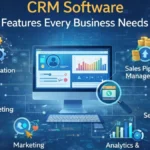
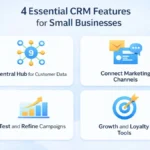
Essential CRM Features Small Businesses Should Look For
When choosing a CRM, small business owners should consider the following functionalities:
Contact & Lead Management
The core feature that stores customer profiles, tracks leads, and logs interactions.
Sales Pipeline Visualization
Helps teams see where each deal stands and what actions are needed next.
Automation Tools
Automates follow-ups, task reminders, and status updates for better productivity.
Marketing Features
Email campaigns, segmentation, and analytics help grow customer engagement.
Reporting & Analytics
Dashboards and reports help measure performance and guide decisions.
Integration Capabilities
Seamless integration with email, calendars, communication tools, and billing systems improves workflow efficiency.
Pricing Tips for Small Business CRM
CRM pricing varies widely based on features, user count, and tier levels. Here are some tips:
- Start with a free plan if available to test features. HubSpot’s free tier is especially generous.
- Consider annual billing to lower monthly costs.
- Check user-based pricing — as more users are added, costs can climb quickly.
- Look for trial periods to evaluate interfaces and real-world usability before committing.
Benefits of CRM Systems for Small Businesses
Implementing a CRM brings several measurable benefits:
Better Organization & Efficiency
CRMs replace spreadsheets and scattered tools with one unified customer database.
Improved Sales Tracking
Track leads, deals, and sales activities in real time — boosting closure rates.
Stronger Customer Relationships
Personalized communication and follow-ups help retain customers and increase loyalty.
Smarter Marketing
Targeted campaigns based on customer behavior improve ROI on marketing spend.
Scalability
As your business grows, most CRM systems can scale up with more features and users.
Conclusion
For small businesses focused on growth and customer satisfaction, a CRM system is no longer optional — it’s essential. Whether you choose a free tier like HubSpot CRM, a customizable platform like Zoho CRM, a sales-focused tool like Pipedrive, or a balanced solution like Freshsales, the right CRM can streamline operations, enhance customer engagement, and empower smarter decisions.
Start with your goals and budget, test a few options with free trials or plans, and choose the CRM that fits your workflow and growth strategy. With the right choice, even small teams can deliver big results.
FAQs
What is the best free CRM for small businesses?
HubSpot CRM offers one of the most generous free CRM plans with core features small teams need.
Do small businesses really need a CRM?
Yes — a CRM helps organize customer data, track sales, automate tasks, and support growth.
Can a CRM help with marketing too?
Many CRM systems include marketing automation tools or integrate seamlessly with marketing platforms.
Are CRM systems expensive for small businesses?
Not necessarily — many offer free plans or affordable pricing tiers that fit small business budgets.
How do I choose the right CRM for my business?
Consider your team size, feature needs, ease of use, integration requirements, and long-term scalability.