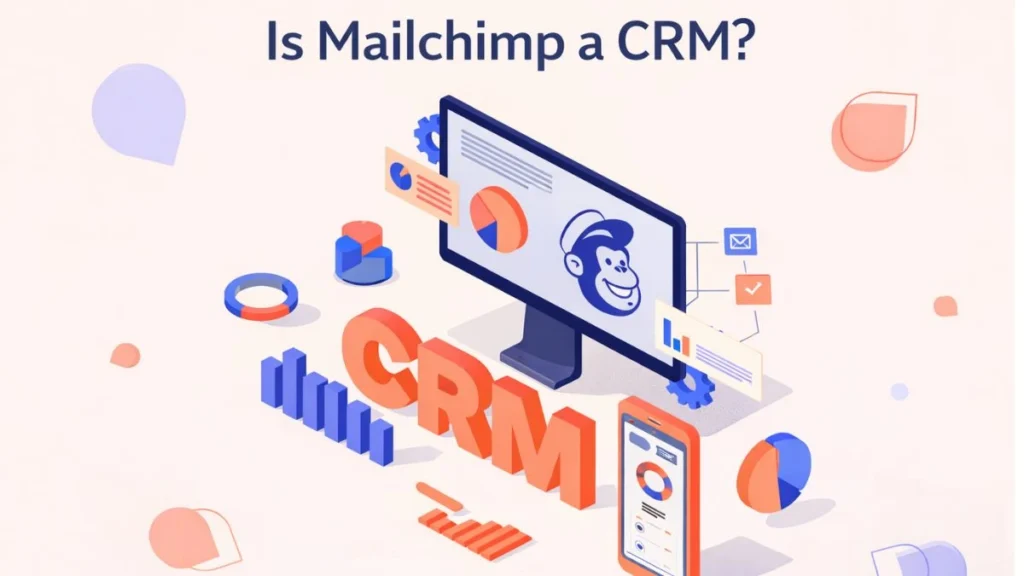

Yes—Mailchimp can be used as a CRM, especially for small and midsize businesses.
Mailchimp offers all the core CRM tools that most small business marketers need. It allows you to aggregate, organize, and manage customer data in one place. For many users, Mailchimp already functions as their CRM.
While some businesses require advanced CRM systems with complex sales pipelines, many marketers primarily need a platform to collect insights, analyze reports, and improve campaigns—and Mailchimp does exactly that.
Why Many Businesses Use Mailchimp as Their CRM
For most marketers, the most important CRM function is not managing complex sales workflows but understanding customer behavior and improving marketing performance. Mailchimp provides:
- Audience data management
- Campaign performance reports
- Customer segmentation
- Marketing automation
- Personalization tools
All without adding unnecessary complexity or cost.
How Mailchimp Helps With Your Marketing CRM Needs
Mailchimp goes beyond email campaigns by offering CRM-style tools that help marketers manage and interpret customer data at a higher level.
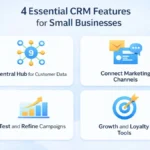
1. Create a Central Hub for Customer Data
Mailchimp allows you to create a single view of your audience by collecting data from multiple sources.
You can store and analyze:
- Contact details
- Campaign engagement
- Purchase history
- Location, age, and behavior data
For e-commerce businesses, connecting your online store automatically imports customer data into Mailchimp, giving you a cross-channel view of how customers interact with your brand.
2. Segment Your Audience for Targeted Campaigns
Segmentation is one of Mailchimp’s strongest CRM features.
Mailchimp offers:
- Pre-built segments (location, age, engagement level)
- Custom segments based on your criteria
- Advanced segmentation with multiple conditions
This allows you to communicate differently with customers at different stages of the customer journey, increasing relevance and engagement.
3. Organize Contact Data Your Way
Mailchimp provides multiple tools to organize audience data:
- Tags – Flexible labels you assign (e.g., “VIP customer” or “Coupon user”)
- Groups – Self-selected categories chosen by subscribers
- Segments – Dynamic filters based on behavior and attributes
This flexibility helps businesses access the right information at the right time and improves collaboration between marketing and sales teams.
4. Personalize Campaigns Using Data
Personalization is essential for building strong customer relationships. Mailchimp makes personalization easy by allowing you to:
- Use merge tags (first name, product interest, etc.)
- Personalize send times based on user behavior
- Predict customer demographics (age and gender)
These features help deliver messages that feel relevant and timely, increasing engagement and customer loyalty.
5. Automate Marketing Using CRM Data
Mailchimp’s automation tools allow businesses to turn customer data into action automatically.
Popular automations include:
- Welcome email series
- Abandoned cart reminders
- Best customer rewards
- Drip marketing campaigns
Mailchimp tracks revenue generated from automations, helping you measure success and optimize campaigns.
6. Optimize Campaigns with Data Insights
Mailchimp provides detailed reports that help you understand:
- Open and click rates
- Revenue performance
- Engagement trends
- Content effectiveness
You can test subject lines, images, and messaging to improve results. Over time, these insights help refine your sales and marketing strategy.
7. Attract and Target New Customers Smarter
Mailchimp’s CRM tools help you grow your audience, not just manage existing customers.
With integrated advertising tools, you can:
- Create lookalike audiences
- Target high-value prospects
- Optimize ad spend
Once new customers engage, Mailchimp helps you manage and personalize communication as your audience grows.
Is Mailchimp a Full CRM?
Mailchimp is best described as a marketing-focused CRM.
Mailchimp Is Ideal If You:
- Focus primarily on marketing
- Want simple customer data management
- Don’t need complex sales pipelines
- Prefer an all-in-one platform
You May Need a Standalone CRM If You:
- Have large sales teams
- Need advanced deal tracking
- Require deep sales forecasting
Mailchimp also integrates with standalone CRM tools for businesses with more complex needs.
Why Mailchimp Is Perfect for Small Businesses
Many of Mailchimp’s CRM features are free or affordable, making it an excellent option for businesses just getting started.
Benefits include:
- Low learning curve
- No unnecessary complexity
- Scalable as your business grows
- Strong ROI
Conclusion
So, is Mailchimp a CRM?
Yes—Mailchimp functions as a powerful marketing CRM for small and midsize businesses.
It provides all the essential tools needed to collect, organize, and use customer data to improve marketing performance and build stronger customer relationships. While it may not replace advanced enterprise CRM systems, for many marketers, Mailchimp is more than enough.
If your primary goal is to understand your audience, personalize communication, and drive conversions, Mailchimp can be the perfect CRM solution.
❓ Frequently Asked Questions (FAQs)
1. Is Mailchimp considered a CRM?
Yes, Mailchimp offers CRM tools focused on marketing and audience management.
2. Can Mailchimp replace a traditional CRM?
For many small businesses, yes. For complex sales processes, integrations may be needed.
3. What CRM features does Mailchimp offer?
Audience management, segmentation, automation, personalization, analytics, and reporting.
4. Is Mailchimp good for small businesses?
Yes, it’s affordable, easy to use, and scalable.
5. Does Mailchimp store customer data?
Yes, Mailchimp acts as a central hub for customer data.
6. Can Mailchimp track customer behavior?
Yes, including clicks, purchases, and engagement.
7. Does Mailchimp support marketing automation?
Yes, including drip campaigns and abandoned cart emails.
8. Is Mailchimp free to use as a CRM?
Many CRM features are available on Mailchimp’s free plan.
9. Can Mailchimp integrate with other CRM tools?
Yes, Mailchimp integrates with many standalone CRM platforms.
10. Who should use Mailchimp as a CRM?
Small businesses, marketers, and growing brands focused on marketing performance.